Staff scheduling and working time, in one calendar
Viali Shifts puts your whole team on one weekly grid, lets staff clock their hours from a shared tablet, and rolls every shift, absence and timesheet up into a clean monthly balance — no spreadsheets, no second system.
One calendar, three jobs
Each role gets exactly the view it needs — fed by the same data.
Planners / admins
- Assign roles per day
- Group staff into teams
- Export and email the month plan as a PDF
Staff
- Log working time from a shared tablet with a personal PIN
- Or log from their own account
- See their running balance
Clinic leads
- Open any staff member
- Read worktime, absences and over/under-time balance for the whole year at a glance
- Read-only overview
What Viali Shifts does
The whole team on one grid
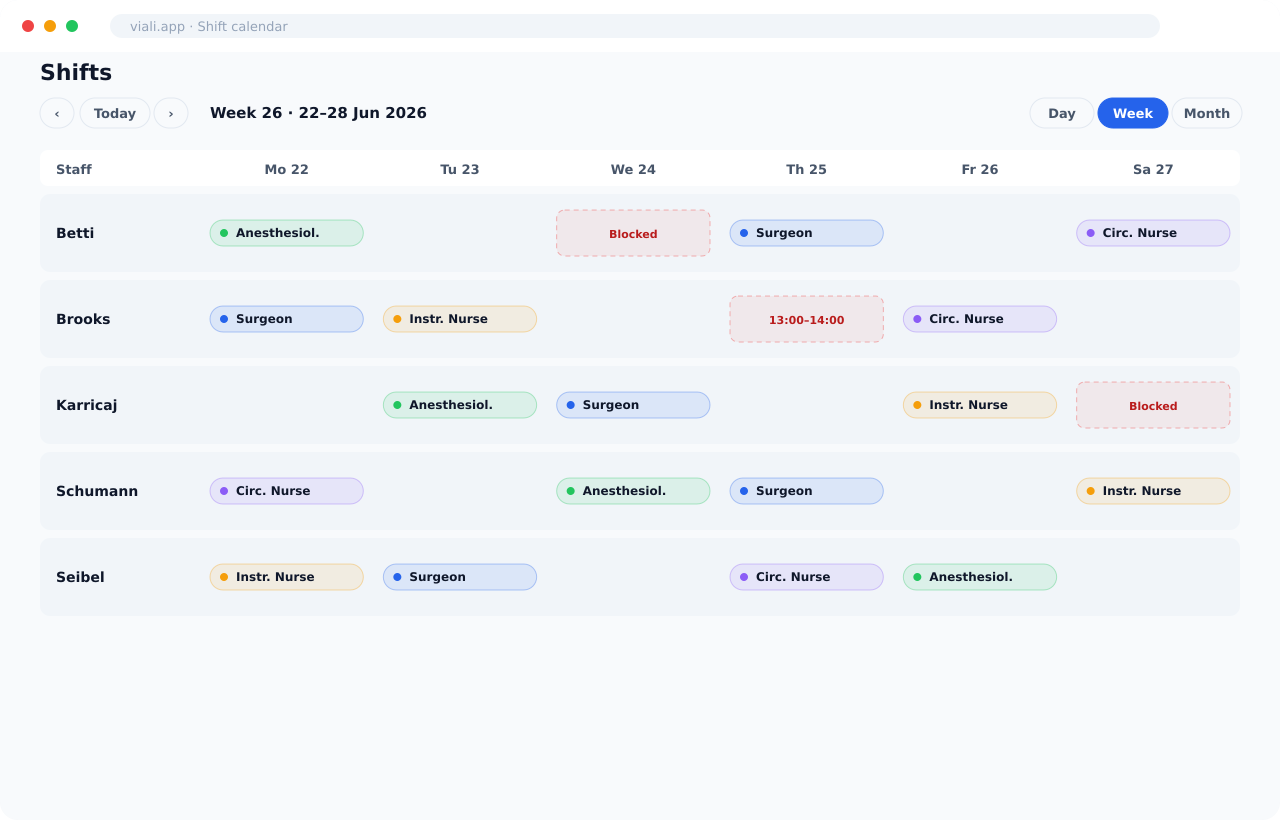
Every staff member is a row, every day a column. Switch between Day, Week and Month, jump to today, and page back and forward through the schedule. Roles show as colored chips so you can read the room at a glance.
- Day / Week / Month views with ISO-week numbering (e.g. "Week 26 · 22–28 Jun 2026")
- Color-coded role chips: Surgeon, Surgical Assistant, Instrument Nurse, Circulating Nurse, Anesthesiologist, Anesthesia Nurse, PACU Nurse
- "Blocked / Other" cells flag time-off and unavailability with a clear dashed outline
- Click any cell to assign a role and shift; assign across multiple days at once in bulk mode
Filter the plan down to one team
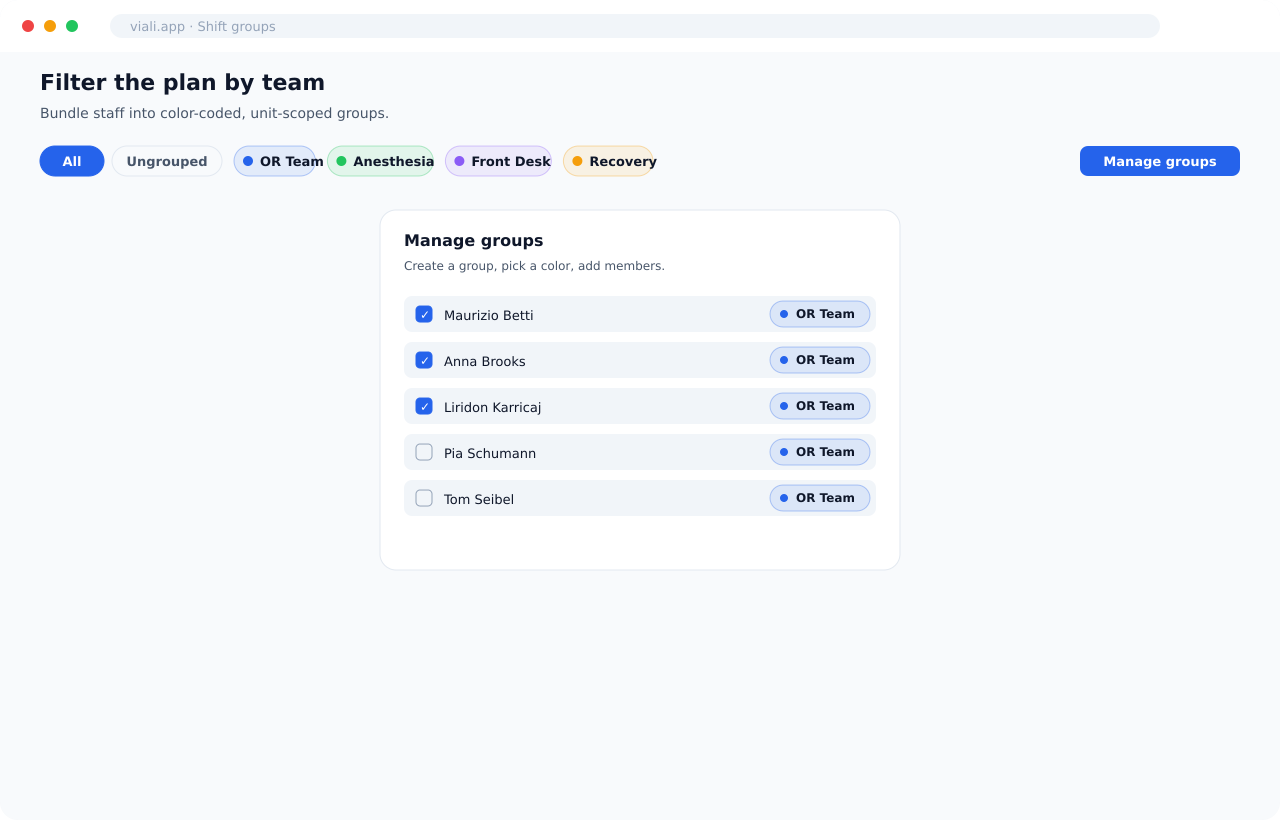
Bundle staff into named, color-coded groups — OR team, anesthesia, front desk — and filter the calendar to just that group. Manage membership inline without leaving the schedule.
- "All" and "Ungrouped" filter pills plus one pill per custom group
- Color swatches per group (blue, green, purple, amber, red, …)
- "Manage groups" dialog to create groups, pick a color, and check members in/out
- Groups are unit-scoped, so each department keeps its own teams
Clock hours in seconds
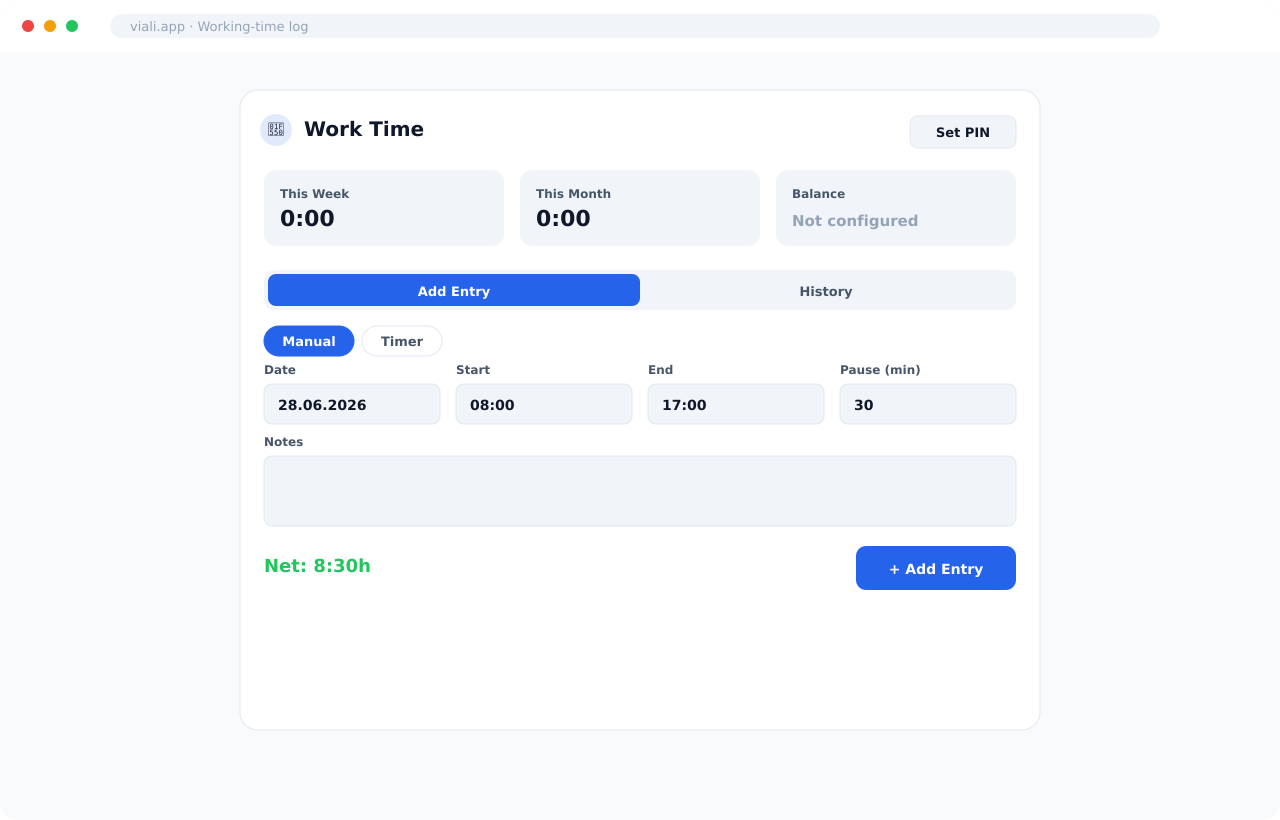
Staff add a working-time entry by hand or run a live timer. Start, end and a pause in minutes give an automatic net total, and a running This Week / This Month / Balance summary sits right on top.
- Manual entry (Date, Start, End, Pause in minutes, optional Notes) or live Timer with start/pause/stop
- Automatic net calculation (e.g. "Net: 8:30h" from 08:00–17:00 minus 30 min)
- This Week / This Month / Balance summary cards
- History tab to review and correct past entries; "Set PIN" for kiosk use
A shared tablet at the door
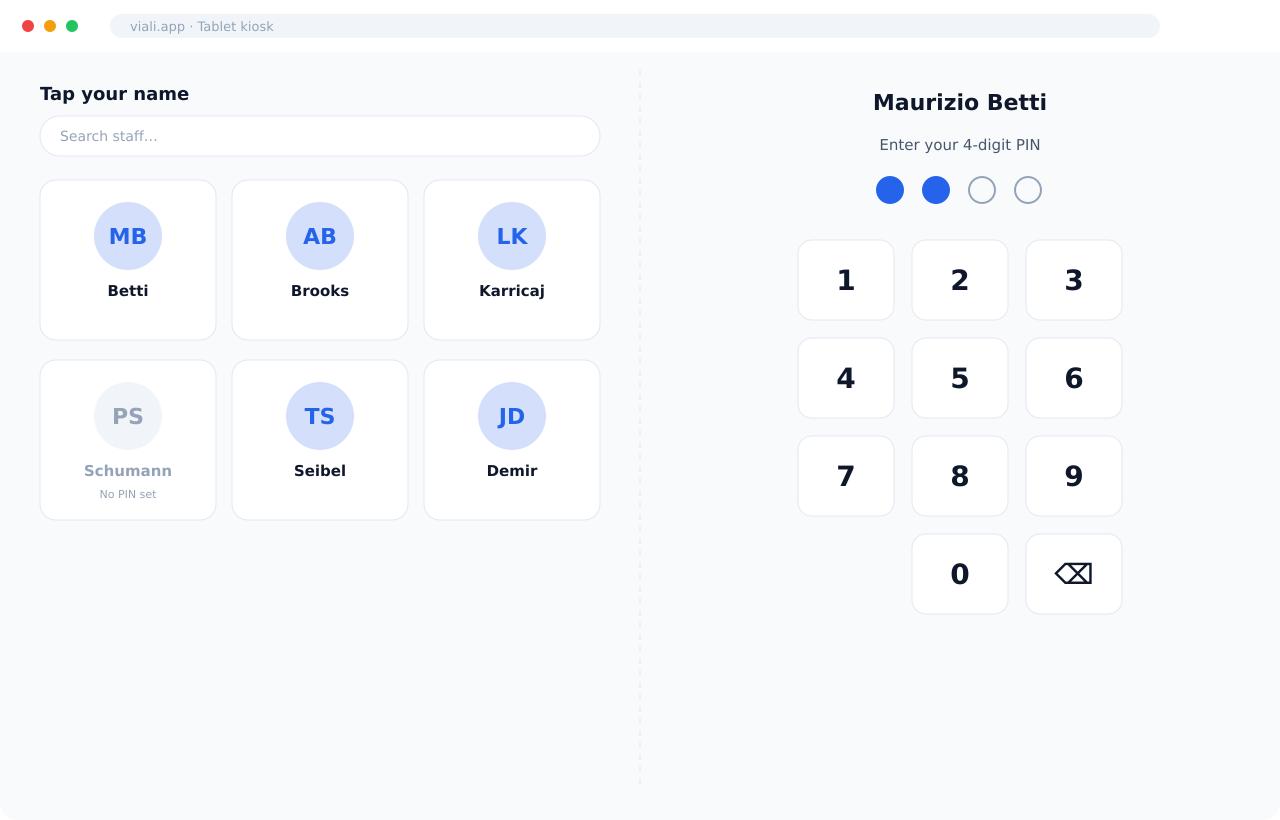
Mount a tablet at the staff entrance and open the kiosk link — no login. Staff tap their name, enter a personal 4-digit PIN, and log their hours. The screen resets itself after a minute of inactivity so the next person starts clean.
- Public kiosk link (token-based) — runs on any shared tablet, no per-user login
- Pick a name from a searchable staff grid of avatar tiles, then enter a 4-digit PIN on the on-screen keypad
- Same manual-entry or live-timer flow as the in-app log
- Auto-resets after 60 seconds of inactivity for privacy on a shared device
A whole year, one screen
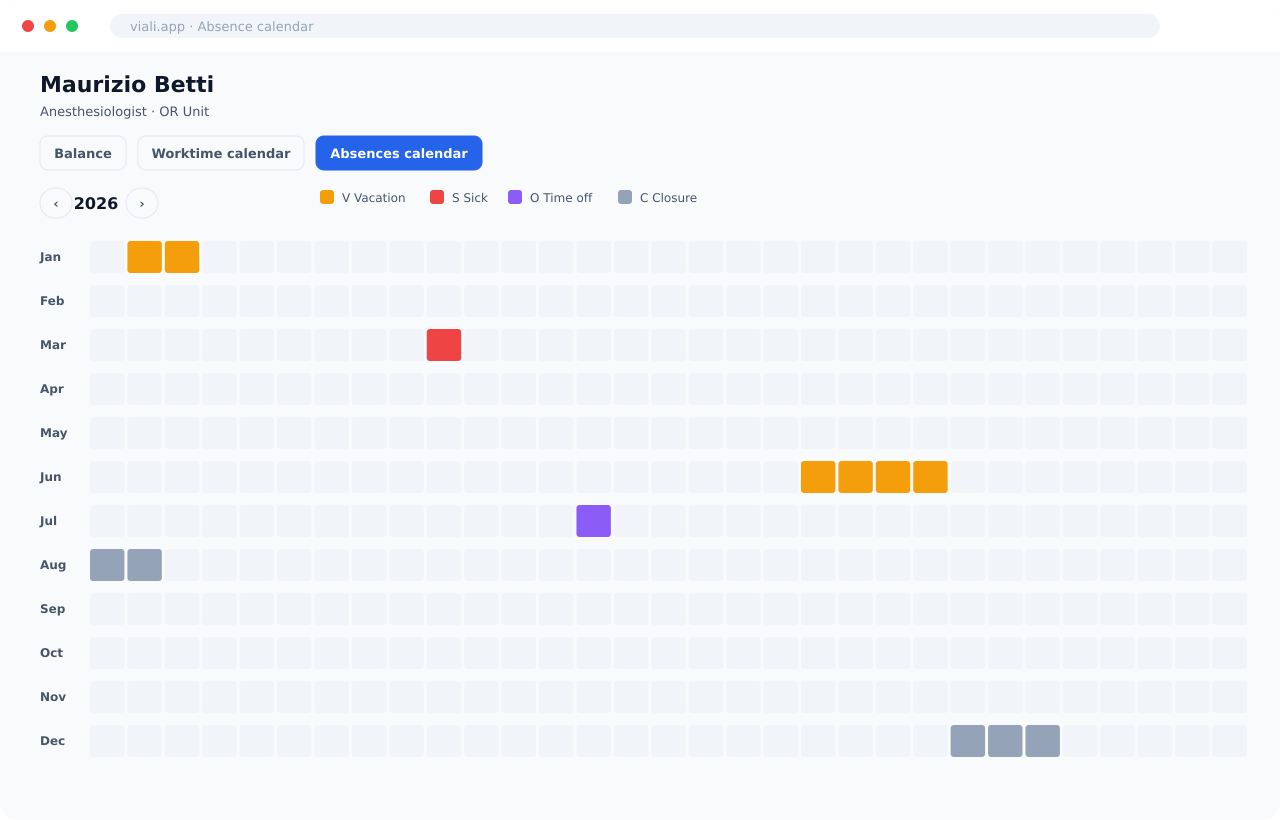
Open any staff member and see their year at a glance. The absence calendar lays out all twelve months as a grid; the worktime calendar shows logged hours day by day.
- Months-down, days-across year grid
- Color-coded legend: V = Vacation, S = Sick, O = Time off, C = Closure
- Separate Worktime calendar for daily logged hours
- Read-only overview built for clinic leads and HR
Over- and under-time, settled automatically
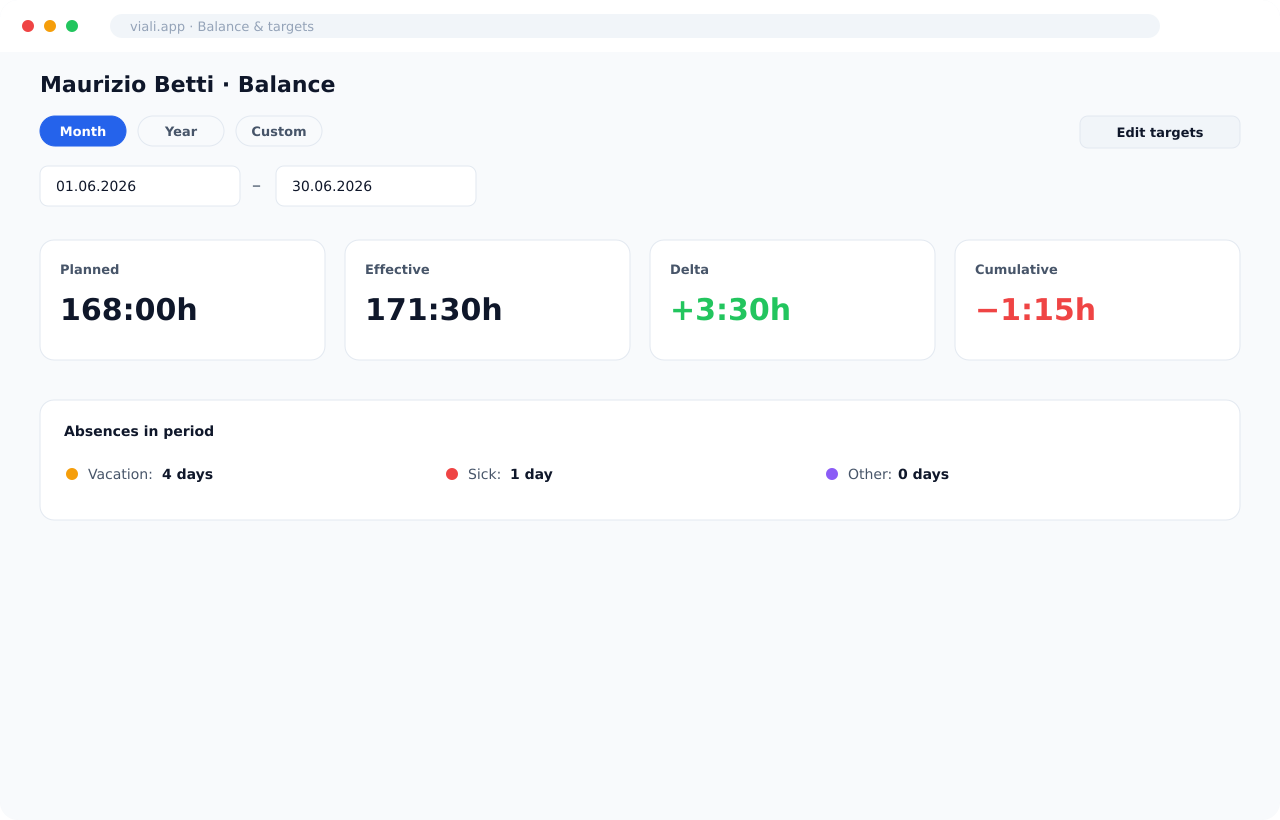
Set the hours each person is meant to work per weekday, and Viali compares planned against effective to produce a running balance. Filter by period or read the cumulative total carried forward across the year.
- Per-staff, per-weekday target hours (the "should" side of the balance), edited in one dialog
- Period presets plus a custom date range
- Four figures at a glance: Planned, Effective, Delta (signed +/−), and Cumulative balance
- A quick absence tally underneath — vacation, sick and other-absence days for the period
Frequently asked questions about Viali Shifts
No. The shared-tablet kiosk runs on a public link and is gated by a personal PIN; staff with accounts can also log from inside the app.
From start and end time minus the pause in minutes; the entry shows the net total before it's saved.
Yes — group staff into color-coded, unit-scoped groups and filter the calendar to one group.
Yes — export the month as a PDF and email it to staff in one step.
On a year calendar with Vacation, Sick, Time off and Closure each color-coded; blocked days also surface on the shift grid.
Per-weekday target hours compared against logged working time, shown as a running balance per staff member.